Why your MacBook gets slow when you run several coding agents
Find whether parallel agents are limited by local compute, memory, services, or a remote model, or skip the tuning and give each agent its own cloud sandbox.
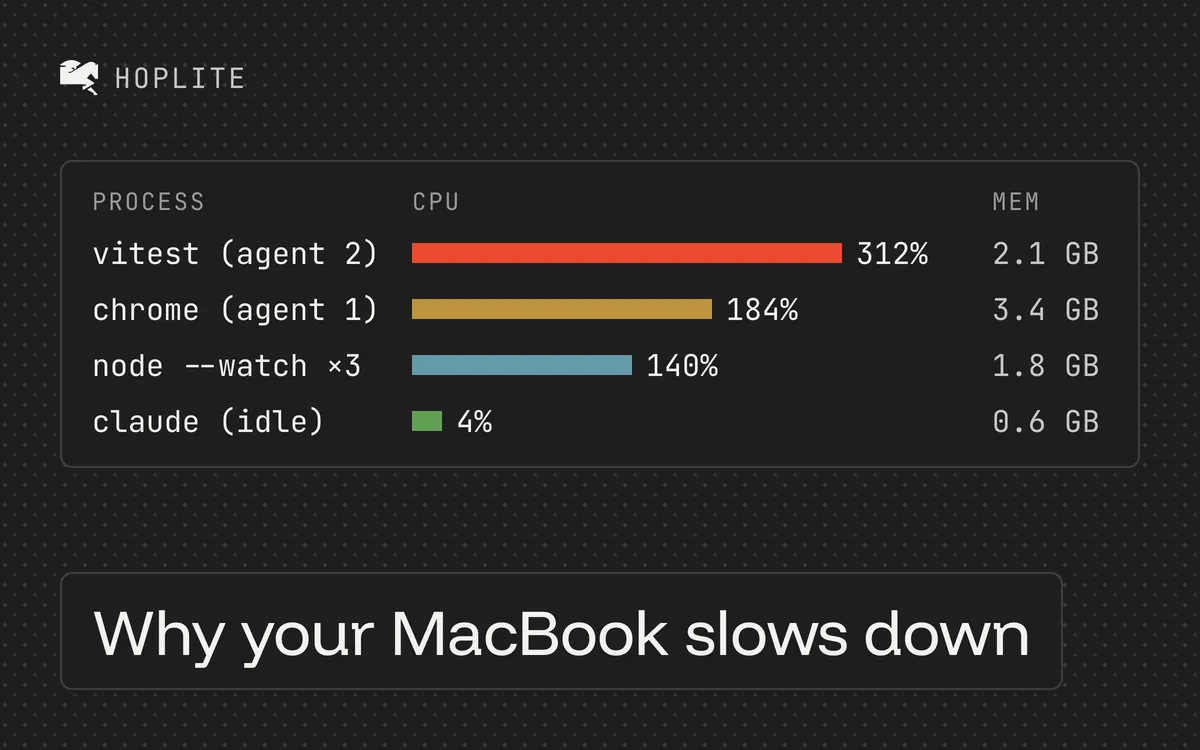
The first agent is working through a bug. The second is running tests. You start another task, switch back to your editor, and even opening a file feels slow.
Several different problems can produce that experience. Your laptop may be short of memory, a build may be using the CPU, or the agents may be waiting on a remote service. Before buying hardware or changing providers, find which part of the workflow is struggling.
Slow agent or slow computer
Try an unrelated local action while the agent is waiting. If your editor, browser, and app switcher respond normally, the delay may be inside the task rather than across the machine. Inspect the agent's latest activity. Is it waiting for a model response, a command, an approval, or a rate limit?
If the whole computer is sluggish, open Activity Monitor. Use the CPU view to inspect active processes and the Memory view to check memory pressure. Observe what changes when a task starts or finishes.
Don't assume the process with the coding tool's name is responsible for all the work. The agent may have started a compiler, browser, local database, or test runner. Follow the commands in its transcript and inspect those processes as well.
Reduce concurrency first
Pause additional tasks and keep one representative job running. Stop unused dev servers through their normal controls after identifying which task owns them. Preserve useful work before restarting a session.
Run the same check again. If the laptop becomes responsive, add one task back and observe the result. This simple comparison helps establish whether the workload grows beyond the machine's comfortable capacity.
It will not prove a specific memory leak or hardware fault. It gives you a narrower question to investigate. If one otherwise idle session continues consuming resources, investigate that session and its extensions separately.
Claude Code's troubleshooting guide includes steps for high CPU and memory use. Record the tool version and conditions before trying a fix, so you can tell whether it helped.
Check shared services
Sometimes the machine is responsive but the agents keep failing. Two dev servers may want the same port. Tests may share a database and overwrite each other's fixtures. A build in one checkout may depend on a service another task just restarted.
Git worktrees separate working files. They do not give each task its own computer. When parallel tasks need the same services, configure separate instances or intentionally limit which task uses them.
If the main symptom is heat, use the overheating guide. If memory pressure or allocation errors dominate, use the RAM guide. They need different checks, even when they happen together.
Or run the agents somewhere else
Every check above is about sharing one laptop between several full development stacks. If you want to avoid that altogether, use a cloud coding agent like Hoplite.
Each Hoplite thread gets its own sandbox. Its dev server has port 3000 to itself. Its tests use whatever database the setup script starts inside the sandbox, isolated from every other thread; only a service you point the sandbox at from outside is still shared. Its browser, language server, and test workers use the sandbox's CPU and memory, not yours. The number of parallel tasks stops being limited by the laptop and becomes limited by how many pull requests you can review.
Your Mac runs the editor and a browser tab. Opening a file stays fast because nothing is competing for the machine.
This changes where the work runs. It does not fix an upstream API rate limit or make a slow test suite fast, and each sandbox has its own resource cap. Start with one independent task, run it in Hoplite, and compare how the laptop feels against the local version of the same workload.