Bring your local agent context to the cloud without starting over
Import useful session history and skills into Hoplite, with clear boundaries around credentials and project state.
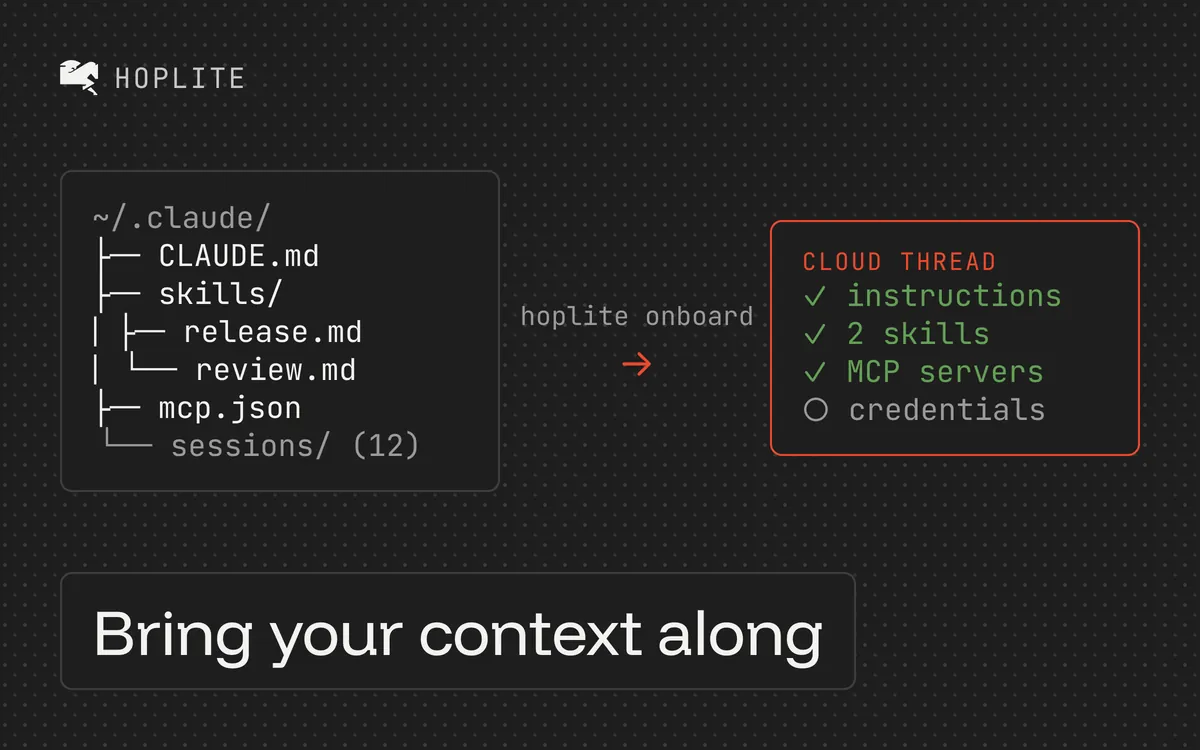
You already explained the repository to your local agent. It knows why the migration stopped halfway through, which test fails on a clean checkout and why that suspicious-looking compatibility layer has to stay. Starting a new cloud session with "continue the work" leaves the goal unclear.
Hoplite can import history from Claude Code, Codex and OpenCode, so a Hoplite cloud agent can pick up where the local session left off. The useful part is deciding which context belongs in past conversations and which should become a durable part of the project. Otherwise, every new task has to reconstruct history from old chats.
Import the history you already have
After installing the Hoplite CLI, run:
hoplite onboardThe command scans for supported local session history and shows what it found. It also offers to import personal global skills. If the native installer's directory isn't on your PATH, use $HOME/.local/bin/hoplite in place of hoplite.
This is useful when moving your usual development workflow to Hoplite. For one task already underway, hoplite handoff creates a live cloud thread from the current repository's most recently active supported session. It uploads user and assistant messages, while tool output and hidden reasoning stay local.
Give recurring decisions a permanent home
Consider a hypothetical billing project. A past conversation contains the decision to preserve legacy invoice IDs. That matters for the current migration, but it also matters for every future edit to the invoice model.
Put that constraint in versioned repository guidance or the project's instructions. Hoplite's instruction model separates standing project guidance from reusable skills and a task's prompt. Use that distinction to keep context readable.
A project instruction might say:
Preserve existing invoice identifiers. External accounting exports use them as stable references. Any change to identifier generation needs a migration plan and explicit review.
A skill could describe the repeated workflow for checking invoice changes. The task prompt should identify today's bug and its acceptance criteria. A six-month chat transcript is a poor substitute for a clear invariant.
Check what a skill import includes
Imported skills bring only the root SKILL.md. Scripts and reference files stay local, so a skill that calls a local script will fail in the cloud until you commit that script with the repo or rewrite the step. Personal skills also run only in projects you start, never in automations, and a repo skill with the same name wins. Put anything the team must rely on in the repo.
Reconnect external tools deliberately
List what the cloud task actually needs before you import. An address that points at localhost or a local path will not reach the same target from the cloud, so keep those servers local and re-point the ones the task must reach.
MCP server addresses can be imported without their credentials. Those servers arrive disabled and marked as needing credentials. The onboarding flow offers credential import as a separate, opt-in step with nothing selected by default.
Select only the access the cloud task needs. An imported token grants the same access it granted locally. Codex OAuth tokens need separate credential setup in Hoplite; the CLI does not read them through the macOS permission mechanism.
After import, check one relevant server with a harmless read. A server name in a settings screen does not prove the agent can reach it or read the right project.
Verify context with a small task
Ask the agent to explain one existing constraint and locate the code that enforces it before making changes. For the invoice example, it should identify the stable-ID requirement, find the generation path and propose the test it would run.
Then give it a bounded edit. Check whether its reasoning matches the current repository and whether its tests actually run. Imported history can save repetition, but files, dependencies and environment variables still need their own setup. For a task already running locally, use the active-task checklist before moving it.